


Migrating from legacy systems to cloud-native architectures is a significant challenge for businesses. While cloud-native solutions offer clear benefits, the transition from traditional systems to the cloud can be complex and fraught with technical, organizational, and financial obstacles. Learn how Datavision supports this transition.
This article explores the challenges businesses face when migrating core systems from legacy to cloud-native environments and offers insights into overcoming these challenges.
Today, more businesses are moving away from legacy systems and adopting cloud-native solutions. But why is this transition so essential, and what does it involve?
Overview of Legacy Systems and Cloud-Native Architecture
 Legacy systems are older technologies that organizations continue to use but struggle to maintain. These systems are typically rigid and difficult to modify or scale. Cloud-native architecture, on the other hand, is designed for the cloud environment, enabling scalability, flexibility, and cost-efficiency. Unlike legacy systems, cloud-native solutions are built with cloud infrastructure in mind, which allows businesses to take full advantage of modern technology like automation, cloud scalability, and cost-effective resource management.
Importance of Migration in the Modern Technological Landscape
 The shift from legacy to cloud-native systems is crucial for organizations that want to stay competitive. Cloud-native systems offer more flexibility, enhanced security, and reduced operational costs compared to legacy systems. Although migration is necessary, it involves overcoming significant challenges that can disrupt business continuity if not carefully managed.
Understanding Legacy Systems
 Definition and Characteristics
Legacy systems are outdated technologies that businesses continue to use, often due to their perceived reliability. They are typically monolithic, meaning all functions are bundled together, which makes them difficult to modify or update. These systems also struggle to scale as businesses grow, leading to inefficiencies.
 Common Issues with Legacy Systems
Legacy systems come with several challenges, including high maintenance costs, lack of scalability, and limited integration capabilities. Over time, maintaining these systems becomes expensive, especially as businesses need specialized knowledge to keep them running. Furthermore, they often can’t scale to meet the demands of a growing business, and they don’t integrate well with newer technologies.
 Why Businesses Still Use Legacy Systems
Despite these issues, many businesses continue using legacy systems due to the high cost of migration, their reliability, and resource limitations. Migrating to newer technologies requires significant investments of time and money, which may make businesses reluctant to change.
What is Cloud-Native?
 Cloud-Native Explained
Cloud-native is an approach to designing applications that are optimized for cloud environments. This involves using microservices, containers, and orchestration tools that help organizations build scalable and flexible applications. Unlike monolithic applications, cloud-native systems are modular, allowing for easier updates and improvements.
 Key Benefits of Cloud-Native Solutions
Cloud-native systems offer a range of benefits, including scalability, flexibility, and cost efficiency. These systems allow businesses to easily scale up or down based on demand, deploy updates with minimal disruption, and only pay for the resources they use.
The Shift from Legacy to Cloud-Native
 The Growing Need for Change
As businesses grow and technology evolves, legacy systems become a bottleneck, preventing organizations from innovating or responding to market changes quickly. Cloud-native systems offer the flexibility and agility needed to stay competitive in an increasingly fast-paced digital landscape.
 Business Drivers Behind Migration
Several factors are driving the shift to cloud-native systems. Cost reduction is a significant motivator, as cloud-native solutions are typically less expensive to operate and maintain than legacy systems. Additionally, businesses seek to improve customer experience by leveraging the scalability and flexibility of the cloud, as well as enhance security features that modern cloud systems offer.
Challenges in Core System Migration
Migrating core systems from legacy to cloud-native is not easy. Check out Datavision’s approach to overcoming technical migration challenges.
Below are some of the most common challenges businesses face:
Technical Challenges
Organizational Challenges
Data Migration Issues
Integration Complexities
Legacy systems are often not designed to work with modern cloud-based applications. Integrating these systems requires careful planning and the use of APIs or integration tools to ensure smooth communication between old and new systems.

Overcoming Technical Challenges
Legacy System Compatibility
One of the first steps in overcoming technical challenges is assessing how legacy systems can be integrated with cloud-native platforms. Many businesses adopt a hybrid approach, running legacy systems alongside cloud-native ones until full migration can be achieved.
Ensuring Seamless Integration
To address integration issues, organizations can implement API management tools and adopt microservices architectures that allow older systems to communicate with new cloud applications.
Leveraging Modern Cloud Solutions
Modern cloud migration tools, such as automated migration tools and managed services, simplify the migration process. These tools can handle tasks like data migration, system integration, and post-migration support, easing the burden on organizations.
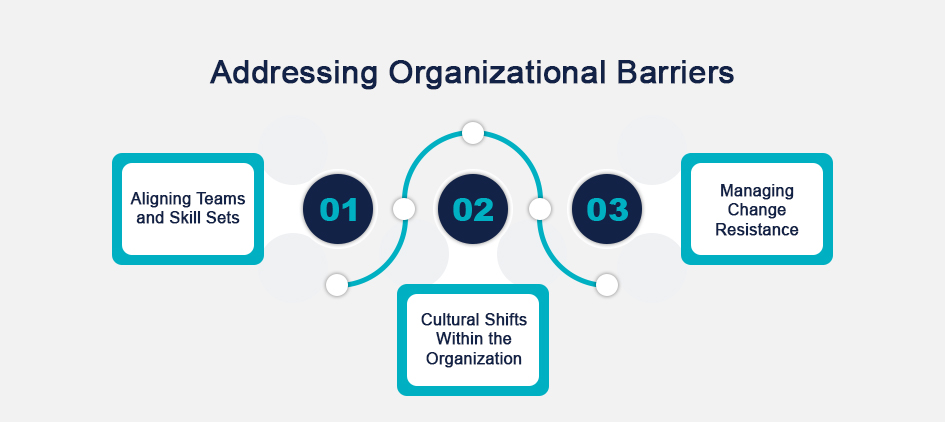
Addressing Organizational Barriers
Aligning Teams and Skill Sets
Migration success depends on collaboration across teams, including IT, development, and management. Businesses may need to invest in upskilling their workforce or hiring new talent familiar with cloud-native systems.
Cultural Shifts Within the Organization
Migrating to cloud-native systems often requires a cultural shift within the organization. Business leaders must foster an environment that supports innovation and change, addressing any resistance to the migration process.
Managing Change Resistance
To address resistance to change, businesses should involve employees in the decision-making process, communicate the benefits of migration, and provide adequate training and support throughout the transition.
Data Migration: A Critical Challenge
 Data Integrity and Quality Concerns
Ensuring the integrity and accuracy of data during migration is a critical challenge. Organizations must use data migration tools to preserve data quality and ensure everything is transferred correctly.
 Tools and Techniques for Effective Data Migration
Specialized data migration tools can automate much of the process, ensuring smooth and accurate data transfer. These tools typically include features for data validation, reconciliation, and backup, helping to reduce errors during migration.
 Mitigating Data Loss Risks
Risk mitigation strategies, such as running parallel systems or creating backups, can reduce the chances of data loss during migration.
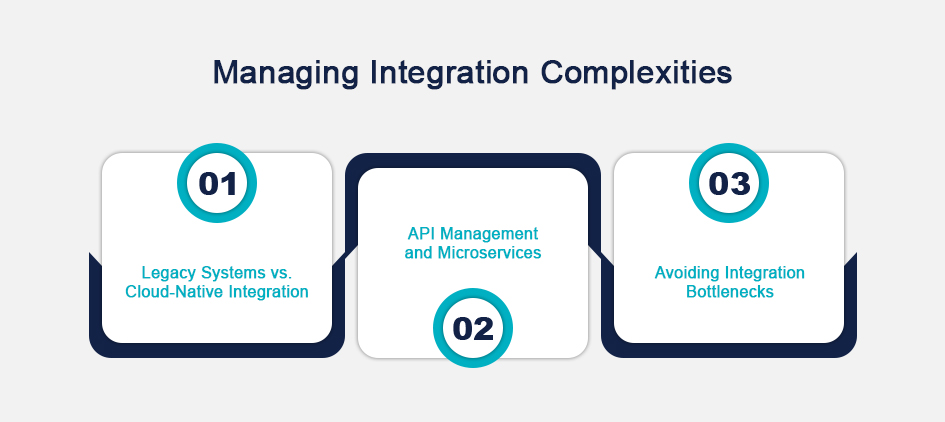
Managing Integration Complexities
Legacy Systems vs. Cloud-Native Integration
Integrating legacy systems with cloud-native applications is a major challenge. Many organizations rely on API management and integration platforms to bridge the gap between old and new systems.
API Management and Microservices
APIs and microservices allow businesses to decouple legacy systems from modern cloud applications, enabling more efficient communication between the two. This approach helps prevent integration bottlenecks and ensures better system performance.
Avoiding Integration Bottlenecks
Effective planning and testing can help avoid performance issues during integration. Using cloud-native integration platforms can help ensure smooth communication between legacy and cloud systems.
Security Concerns in Cloud-Native Systems
Cloud Security Fundamentals
Cloud security is a primary concern during migration. Businesses must ensure that their cloud-native systems are properly secured using encryption, firewalls, and access control measures to protect sensitive data.
Securing Data and Infrastructure During Migration
During migration, businesses must take extra care to secure data and infrastructure. Using secure transfer protocols and encryption can help protect data during the transition.
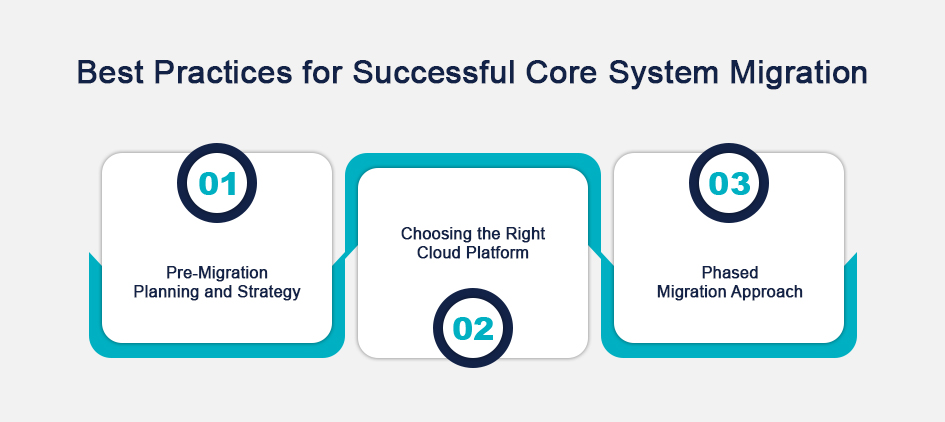
Best Practices for Successful Core System Migration
Pre-Migration Planning and Strategy
Effective planning is crucial for a successful migration. Businesses should assess their current systems, select the right cloud platform, and develop a detailed migration plan that outlines timelines, risks, and resources.
Partner with Datavision for expert migration consulting.
Choosing the Right Cloud Platform
Selecting the right cloud provider is vital for the success of migration. Factors such as security, scalability, and cost should be carefully considered when choosing a cloud platform.
Phased Migration Approach
Adopting a phased migration approach can help minimize risk. By migrating in stages, businesses can ensure that their systems remain operational and troubleshoot any issues as they arise.
Cost Considerations
Initial Investment and Long-Term Savings
While the initial cost of migration can be high, businesses often realize long-term savings through reduced infrastructure and operational costs.
Hidden Costs in Cloud-Native Adoption
Businesses should be aware of potential hidden costs, such as ongoing maintenance fees and training costs, which may arise during the migration process.
The Role of Automation and DevOps
How Automation Streamlines Migration
Automation tools can simplify the migration process, reducing the need for manual work and minimizing the risk of human error. Automation can handle tasks like data transfer, testing, and system deployment.
The Role of DevOps in Cloud-Native Environments
In cloud-native environments, DevOps practices are crucial for ensuring rapid development and deployment. DevOps integrates development and operations teams, improving collaboration and reducing deployment times.
Conclusion
Migrating from legacy systems to cloud-native environments is a complex but necessary process. While it presents various challenges, the benefits of cloud-native systems, including scalability, cost efficiency, and flexibility, are undeniable. With careful planning, the right tools, and a collaborative approach, businesses can successfully navigate the migration process and unlock the full potential of cloud-native technologies. Discover Datavision’s comprehensive suite of core banking software and cloud-native solutions.
FAQs
How Can Datavision help?
We assist various financial institutions and global banks on their digital transformation journey. Our one-of-a-kind approach, which combines people, process, and technology, expedites the delivery of superior results to our clients and drives excellence. Several reputed companies leverage our proprietary suite of business excellence tools and services to unlock new growth levers and unparalleled ROI.
Datavision stands proudly as a prominent banking software solutions provider, recognized for our unwavering commitment to excellence in the industry. We have earned our esteemed reputation by consistently delivering cutting-edge core banking software, catering to the needs of both retail and corporate banking software sectors. At Datavision, our mission is clear: to provide our clients with the best banking software products, ensuring that they stay ahead in an ever-evolving financial landscape. We take pride in serving our prestigious clients and look forward to continuing our journey of innovation and excellence.
Our portfolio of banking software product and services include:
Core Banking Solutions: | FinNext Core | Banking: | FinTrade | EasyLoan | MicroFin |
Digital Banking Solutions: | IBanc | MobiBanc | MBranch | FinTab | FinSight |
Risk & Compliance: |FinTrust |
Want to know how our team of experts at Datavision provides customizable, scalable, and cost-effective banking software products and solutions to our esteemed clients? Visit us for more information.
 The Case for API-First Core Banking Modernization
July 31, 2025
The Case for API-First Core Banking Modernization
July 31, 2025
 Data Governance and Compliance in the Age of AI
July 26, 2025
Data Governance and Compliance in the Age of AI
July 26, 2025
 From Legacy to Cloud-Native: Challenges in Core System Migration
July 2, 2025
From Legacy to Cloud-Native: Challenges in Core System Migration
July 2, 2025
 Small Language Models (SLMs) for Efficient Banking Solutions
June 18, 2025
Small Language Models (SLMs) for Efficient Banking Solutions
June 18, 2025
 Hyper-Personalisation through Advanced Data Analytics
June 8, 2025
Hyper-Personalisation through Advanced Data Analytics
June 8, 2025
 The Rise of Agentic AI in Financial Decision-Making
May 23, 2025
The Rise of Agentic AI in Financial Decision-Making
May 23, 2025
 Why Continuous Testing is Critical in Financial Software Development
April 30, 2025
Why Continuous Testing is Critical in Financial Software Development
April 30, 2025
 The “ENGINE” Framework: Transforming Developers into Engineers
April 11, 2025
The “ENGINE” Framework: Transforming Developers into Engineers
April 11, 2025
 Ensuring Compliance in Financial Software Development
March 31, 2025
Ensuring Compliance in Financial Software Development
March 31, 2025
 The Role of Microservices in Modernizing Core Banking Systems
March 19, 2025
The Role of Microservices in Modernizing Core Banking Systems
March 19, 2025